
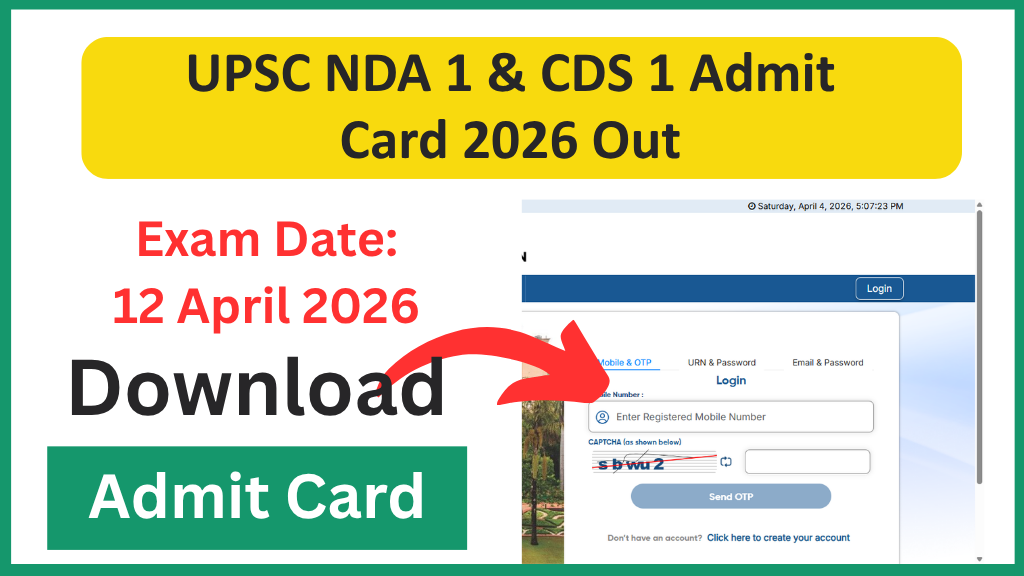
The Union Public Service Commission (UPSC) has officially released the e-Admit Cards for the National Defence Academy (NDA) I and Combined Defence Services (CDS) I examinations for the 2026 cycle. Released on April 2, 2026, the hall tickets are now available for download on the official UPSC portals.
With the prestigious defense entrance exams scheduled for April 12, 2026, aspirants must secure their admit cards immediately to verify their allotted exam centers and shift timings. In this guide, we provide the direct active link, step-by-step download instructions, and the mandatory “Exam Day Checklist” to ensure a smooth experience.
UPSC NDA & CDS (I) 2026: Recruitment Overview
| Feature | UPSC NDA (I) 2026 | UPSC CDS (I) 2026 |
| Organization | Union Public Service Commission | Union Public Service Commission |
| Total Vacancies | 394 Posts | 450+ Posts (IMA, INA, AFA, OTA) |
| Admit Card Status | Released (April 2, 2026) | Released (April 2, 2026) |
| Exam Date | April 12, 2026 (Sunday) | April 12, 2026 (Sunday) |
| Exam Mode | Offline (Pen & Paper – OMR) | Offline (Pen & Paper – OMR) |
| Official Website | upsc.gov.in | upsc.gov.in |
Direct Links to Download e-Admit Card
Candidates do not need to wait for a physical copy as UPSC does not send admit cards by post. Use the verified links below to access the digital portal:
- Official Download Link 1: upsconline.nic.in
- Official Download Link 2: upsc.gov.in
How to Download UPSC NDA & CDS 1 Admit Card 2026?
Follow these simple steps to get your hall ticket in under 2 minutes:
- Visit Portal: Go to the official UPSC website at upsc.gov.in.
- Find Admit Card: Under the “Admit Cards” section on the homepage, click on “E-Admit Cards for various Examinations of UPSC.”
- Select Exam: Click the download link for “National Defence Academy & Naval Academy Examination (I), 2026” or “Combined Defence Services Examination (I), 2026.”
- Important Instructions: A PDF of “Important Instructions” will appear. Read it carefully and click “Yes” to proceed.
- Login Method: Choose between “By Registration ID” or “By Roll Number.”
- Enter Details: Input your ID/Roll Number, Date of Birth (DD/MM/YYYY), and the Captcha code shown.
- Download & Print: Click “Submit.” Your e-Admit Card will appear. Download the PDF and take two clear printouts on white paper.
Exam Shift Timings: NDA vs. CDS
Both exams will be held on the same day (April 12) but follow different shift patterns.
UPSC NDA 1 2026 Schedule
| Subject | Shift Timing | Duration |
| Mathematics (01) | 10:00 AM to 12:30 PM | 2.5 Hours |
| General Ability Test (02) | 02:00 PM to 04:30 PM | 2.5 Hours |
UPSC CDS 1 2026 Schedule
| Subject | Shift Timing | Duration |
| English | 09:00 AM to 11:00 AM | 2 Hours |
| General Knowledge | 12:30 PM to 02:30 PM | 2 Hours |
| Elementary Mathematics* | 04:00 PM to 06:00 PM | 2 Hours |
Note: OTA candidates only appear for English and GK.
Mandatory Exam Day Checklist
UPSC is extremely strict regarding documentation and entry timing. Do not forget the following:
- Printed Admit Card: Carry a clear hard copy (preferably in color).
- Original Photo ID: Bring the same ID you mentioned in the application (e.g., Aadhaar Card, PAN Card, Voter ID, or Driving License).
- Passport Photos: Carry two identical passport-size photographs (just in case the photo on the admit card is blurred).
- Black Ballpoint Pen: Essential for marking the OMR sheet. Blue pens or pencils are NOT allowed.
- Simple Wrist Watch: Only analog watches are permitted. Smartwatches or digital watches will be confiscated.
Vital Instructions: The “30-Minute Rule”
For the 2026 exams, UPSC has reinforced the Gate Closing Rule:
- Entry Closes: Exactly 30 minutes before the commencement of each session.
- Morning Shift (10:00 AM start): Entry will close at 09:30 AM.
- Afternoon Shift (02:00 PM start): Entry will close at 01:30 PM.
- No Exceptions: Once the gates are closed, no candidate will be allowed inside the venue under any circumstances.
Frequently Asked Questions (FAQs)
Q1: What should I do if there is a mistake in my name or photo?
If you find any discrepancy, immediately email UPSC at usnda-upsc@nic.in (for NDA) or uscds-upsc@nic.in (for CDS) with your registration details.
Q2: I forgot my Registration ID. How can I download the admit card?
On the login page, click the “Forgot RID?” link. Enter your name, father’s name, mother’s name, and DOB to retrieve it via your registered email/mobile.
Q3: Is a digital copy of the admit card allowed on a mobile phone?
No. You must carry a physical paper printout. Electronic devices like mobile phones are strictly prohibited inside the exam center.
Stay Updated! Join our WhatsApp Group on sarkarijobsforyou.com for live updates on the NDA/CDS 1 Answer Key immediately after the exam on April 12!