
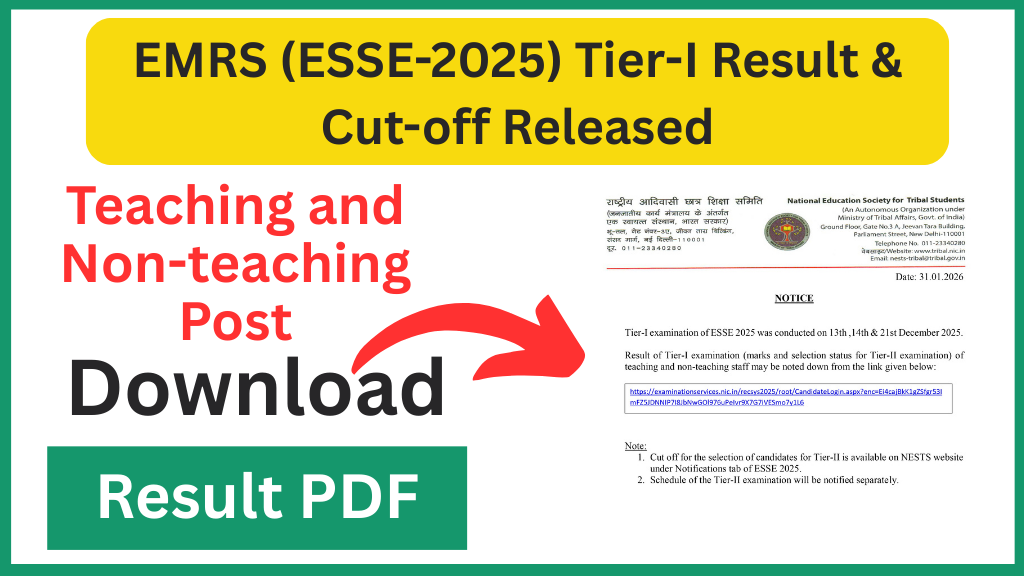
National Education Society for Tribal Students (NESTS) has released the EMRS (ESSE-2025) Tier-I result and category-wise cut-off marks for teaching and non-teaching posts. Candidates who appeared in the Tier-I exam can now check their scorecards and see whether they have qualified for the next stage. This article explains the result, cut-offs, how to download your scorecard, and the steps you should take next.
EMRS (ESSE-2025) Tier-I Result & Cut-off: Overview
| Item | Detail |
|---|---|
| Exam name | EMRS Staff Selection Exam (ESSE-2025) — Tier-I |
| Exam dates | December 2025 (multiple shifts) |
| Result / Cut-off release | Late January 2026 |
| Organization | National Education Society for Tribal Students (NESTS) |
| Vacancy (approx.) | Around 7,200–7,300 posts across teaching and non-teaching categories |
| Next stage | Tier-II or skill/teacher-eligibility stage depending on post |
Important Links
| Download Result PDF | Click Here |
| Result Notice | Click Here |
| Join WhatsApp Channel | Click Here |
What was released: result, scorecard and cut-offs
NESTS has published the Tier-I results and the official category-wise cut-off marks for various posts such as PGT, TGT, Principal, Hostel Warden, Female Staff Nurse, Accountant, Junior Secretariat Assistant, Lab Attendant and other posts. The release includes:
- Post-wise result lists that show which candidates are shortlisted for the next stage.
- Candidate scorecards (personal marks) which shortlisted candidates can download to check their individual performance.
- Official cut-off marks for each post and category (UR, OBC, SC, ST, EWS, PwBD where applicable).
If your score is equal to or above the published cut-off for your post and category, you are shortlisted for the next stage.
How to check and download your EMRS Tier-I scorecard (step-by-step)
- Visit the official EMRS / NESTS website and go to the recruitment or results section.
- Look for the link titled “ESSE-2025 Tier-I Result” or “Tier-I Scorecard / Cut-off”.
- To view the post-wise result PDF, open the relevant file posted by the authority. This file shows selected roll numbers or candidate names.
- To download your personal scorecard, use the scorecard or login option. Enter your registration/application number and date of birth to see your marks.
- Download and save the PDF. Make at least two printed copies for your record and future verification.
Tip: The official website can be slow right after release. Try downloading during off-peak hours and keep your application details handy.
Understanding the cut-off marks
- Cut-off is the minimum marks required to qualify for the next stage (Tier-II, skill test, interview or document verification).
- Cut-offs vary by post and category (UR / OBC / SC / ST / EWS). Some recruitments may also have state or zone-wise variations.
- If your score ≥ cut-off for your post and category, you are shortlisted. If not, you have not qualified for the next round.
- The official cut-off document lists exact numbers for each post and category. Use this to confirm your qualifying status.
What happens after Tier-I? (For shortlisted candidates)
- Tier-II schedule: NESTS will publish the date, exam pattern and center details for Tier-II or the next stage. Keep checking the official notice board.
- Prepare accordingly: For teaching posts (TGT/PGT), Tier-II usually tests subject knowledge and teaching aptitude. Non-teaching posts may have written tests or skill tests. Read the post notification carefully to know the exact pattern.
- Document readiness: Shortlisted candidates must keep all certificates ready — educational, caste, domicile, ID proof, and any other required documents. Scanned copies and originals should be arranged.
- Medical & verification: Some posts may require medical fitness or a local language test. Follow instructions issued with the next notification.
Simple preparation plan for Tier-II
- Collect the official syllabus for your applied post from the recruitment notification. Know the subject-wise weightage and sections.
- Revise basic concepts thoroughly. For teacher posts, focus on subject textbooks and pedagogical questions.
- Practice previous year papers and take mock tests to improve speed and accuracy. Timed practice will help in objective and descriptive segments.
- Focus on weak areas identified from your Tier-I performance; use the scorecard to plan targeted revision.
- Keep documents ready in both digital and physical formats to save time during verification.
Important points to remember
- The Tier-I result is not the final selection. Final selection depends on performance in subsequent stages and document verification.
- Check the official notification carefully for post-specific instructions. Some posts have special requirements or additional tests.
- If a candidate’s name or roll number is not in the shortlist, it usually means the candidate did not meet the cut-off for that post and category. There is generally no re-evaluation for Tier-I marks unless the authority provides an objection window or recheck procedure.
- Keep a close watch on official announcements for the Tier-II date and other important notices.
Frequently Asked Questions (FAQ)
Q. Where can I find the official Tier-I result and cut-off?
A. The official result and cut-off are published on the EMRS / NESTS recruitment page under the Results or Recruitment section.
Q. Is the Tier-I result final selection?
A. No. Tier-I shortlists candidates for further stages like Tier-II, skill tests, or interviews. Final selection will follow all required stages and document verification.
Q. My roll number is not in the result list. What should I do?
A. If your roll number is absent, your score was below the cut-off. Check if any re-evaluation or objection process is provided by the authority; otherwise, use this experience to prepare for future opportunities.
Q. Where can I see the cut-off numbers for my post?
A. Official cut-off numbers for each post and category are published in the same result notification on the EMRS / NESTS website. Check the PDF for exact values.